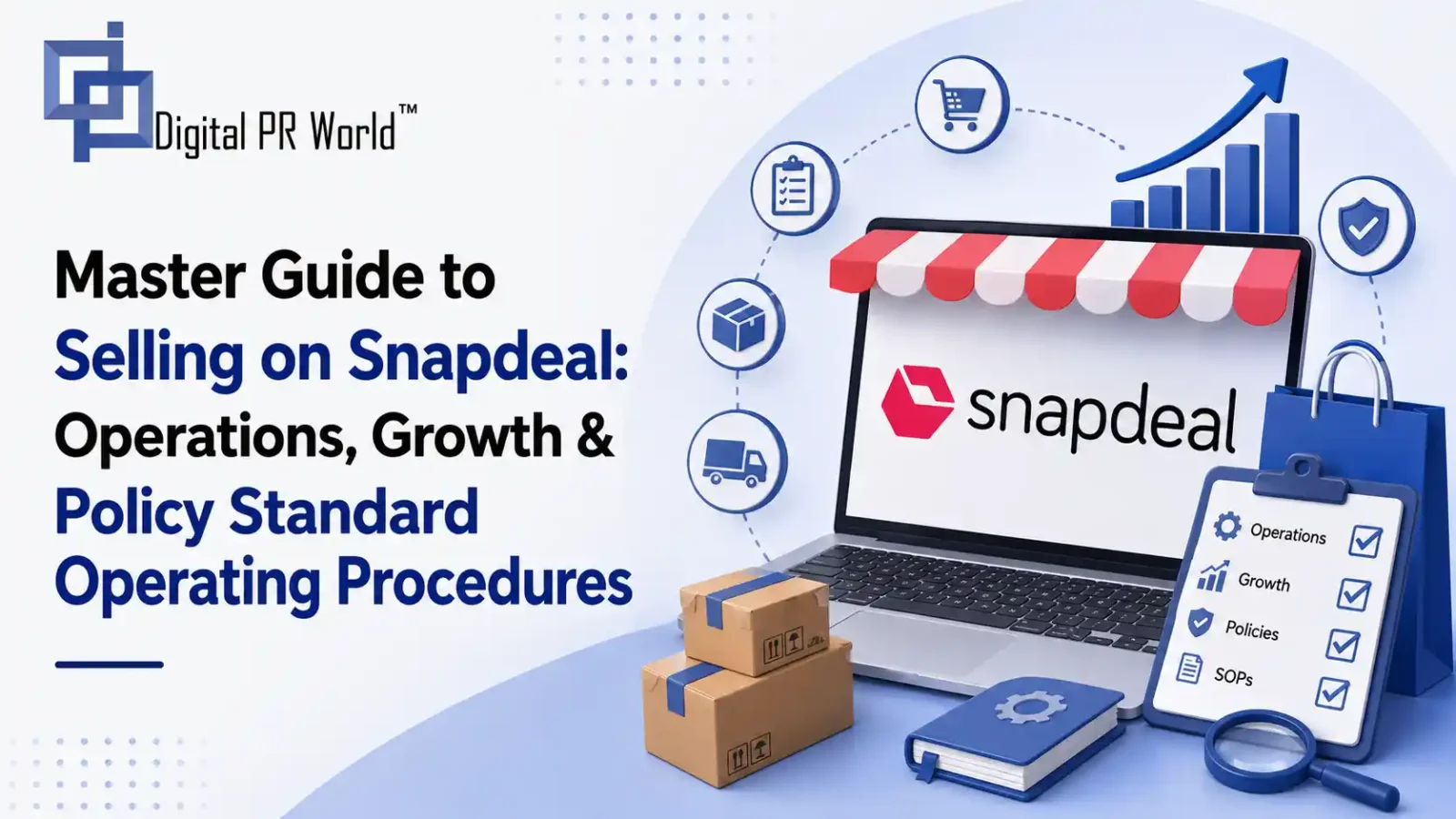
Master Guide to Selling on Snapdeal: Operations, Growth & Policy Standard Operating Procedures
Selling on Snapdeal offers brands and retailers access to millions of value-focused shoppers across India’s Tier-2, Tier-3, and Tier-4 cities. Operating successfully on the platform requires navigating its onboarding workflows, cataloguing protocols, logistics management, and promotional tools.
Onboarding Process & Requirements
To begin selling on Snapdeal, register on the Snapdeal Seller Panel (seller.snapdeal.com).
GSTIN
Active GST registration certificate corresponding to your business location.
PAN Card
Personal PAN for Sole Proprietorships; Business PAN for Pvt Ltd, Public Ltd, or Partnerships.
Bank Account Details
Cancelled cheque or official bank statement with matching account holder name, IFSC code, and account number.
Proof of Address
Electricity bill, lease agreement, or trade license matching the primary pick-up location.
Active Contact Details
Unique phone number and email address verified via OTP during registration.
Digital Signature
Required during the final digital agreement signing.
Approval Requirements for Listings
All listings uploaded to the Snapdeal Seller Panel pass through a Quality Check (QC) audit.
- Information Accuracy: Mandatory attributes (MRP, Selling Price, Brand, Country of Origin, Material, Size, GST Rate) must match across descriptions, tags, and images.
- Brand Authenticity: To list branded products, submit authorisation letters, trademark certificates, or reseller brand authorisation invoices.
- Compliance Checks: Mandatory legal declarations (such as FSSAI for food, BIS certification for electronics/toys, and Legal Metrology tags for packaged goods) must be uploaded.
- Turnaround Time: Approval typically takes 24 to 48 business hours. If rejected, specific error logs are provided in the Listing Status section for correction.
Categories Available for Selling & Listing
Fashion & Apparel
Men’s, Women’s, and Kids’ ethnic and western wear, footwear, and accessories.
Home & Kitchen
Cookware, home decor, furnishings, small home appliances, and storage solutions.
Electronics & Accessories
Mobile accessories, audio gear, smart wearables, personal grooming appliances, and computer peripherals.
Beauty & Personal Care
Skincare, haircare, makeup, grooming kits, and health supplements.
Toys, Baby Care & Sports
Educational toys, baby gear, fitness tools, and outdoor sports equipment.
General Merchandise
Automotive accessories, stationery, luggage, and hardware tools.
Minimum SKU Requirements for Onboarding
- Standard Categories: There is no strict minimum SKU threshold to initiate selling; you can go live with a single active SKU (1 SKU).
- Recommended Practice: Launching with 5 to 10 SKUs improves brand visibility, inventory depth, and organic search traction on the platform.
Image Requirements
Snapdeal enforces strict visual standards to ensure consistency across product cards.
| IMAGE SPECIFICATIONS | |
|---|---|
| Aspect Ratio | Clothing: 0.75 (Width/Height) | Other Categories: 0.85 |
| Minimum Resolution | Apparel: 1200 x 1600 px | Non-Apparel: 1105 x 1300 px |
| File Format/Size | JPG, PNG, or TIFF | 100 KB to 10 MB |
| Framing & Fill | Centered | Product fills 70–85% frame |
- Backgrounds: Pure white background for general merchandise and fashion accessories. Light neutral shades (light grey, off-white, beige) are allowed for apparel.
- Lighting & Angles: Bright, uniform lighting without dark shadows or overexposure. Include close-up detail shots, fabric/material views, dimension/size charts, and packaging views.
- Prohibitions: No watermarks, brand logos/stamps superimposed on images, promotional text (e.g., “Best Seller”, “Discount”), borders, or pixelated/morphed renderings.
Details to Provide for Listings
- Product Title: Must follow the standard syntax:
[Brand] + [Gender/Target Group] + [Product Name/Type] + [Key Attribute (Colour/Size)]. - Identifiers: Unique SKU Code, EAN/UPC/Barcodes (if available), and HSN Code.
- Pricing & Tax Structure: Maximum Retail Price (MRP), Selling Price (SP), and applicable GST rate percentage.
- Physical Attributes: Weight, packaged dimensions (Length × Width × Height), materials, colour, and size charts.
- Bullet Points & Description: Feature bullets emphasising build quality, usability, package contents, care instructions, and warranty terms.
Orders and Their Processing
Snapdeal handles logistically managed order processing through its core fulfilment model:
Handling Order Pick-Up Issues
- Raise a Portal Ticket: Go to Seller Support > Orders & Logistics > Pick-up Missed within the Seller Panel.
- Upload Proof: Attach a copy of the generated manifest along with photos showing the packed orders ready for pickup.
- Escalate Before Cut-Off: File the missed pickup escalation before the daily SLA window expires to protect your On-Time Fulfilment Rate and prevent auto-cancellations.
- Avoid Handing Over Without Manifest Scans: Do not hand packages over to courier personnel without receiving a signed manifest copy or visual scan confirmation.
Managing Returns
Snapdeal categorises product returns into two types:
1. Courier Returns (RTO – Return to Origin)
Cause: Non-delivery due to incorrect address, customer unreachability, or COD order refusal at the doorstep.
Impact: The shipment is returned directly to your warehouse. You are generally exempt from penalty fees for non-deliverable RTOs.
2. Customer Returns (DTO – Delivered to Order)
Cause: Customers request returns post-delivery under Snapdeal’s return window policy (e.g., size fit issues, wrong item received, damaged goods, defective product).
Verification & SPF Claims: Upon receipt, inspect packaging. If damaged, used, swapped, or missing parts, submit a Seller Protection Fund (SPF) dispute on the panel within 48–72 hours of delivery with unboxing videos/images.
Fees for Order Deliveries and Returns
Selling expenses are deducted from payouts based on product weight and fulfilment tier:
- Category Commission: A percentage-based fee on the selling price, ranging from 5% to 25% depending on the sub-category.
- Fixed / Closing Fee: A flat administrative charge per successful order, ranging from ₹10 to ₹25 based on price bands.
- Logistics / Shipping Fee: Charged based on actual or volumetric weight (whichever is higher) and distance zones (Local, Regional, National), ranging between ₹30 and ₹110+.
- Return Charges:
- RTO (Courier Return): Standard shipping costs apply without additional customer return penalties.
- DTO (Customer Return): Reverse shipping fees plus full logistic deductions may apply unless the return is contested and approved via SPF claims.
Support, KAM & Portal Reports
Seller Support Desk
Offers ticket-based and phone support via the Seller Panel. Handles operational issues such as listing bugs, payment discrepancies, logistics disputes, and profile updates.
Key Account Managers (KAM)
Assigned to mid-tier, high-volume, or brand-store sellers. KAMs provide tailored growth strategies, assist with account management, optimise supply chains, secure participation in homepage events, and advise on competitive pricing.
Reports Available on the Portal
- Sales & Revenue Reports: Itemised order records, gross revenue, net payouts, and pending settlements.
- Tax & GST Invoices: Monthly tax invoices, TCS/TDS reports, commission fees, and logistics expense summaries required for filing GST returns.
- Inventory & Stock Ledgers: Tracks active stock, low-stock warnings, out-of-stock items, and reserved inventory.
- Return & Claim Statements: Log of RTO/DTO items, pending reverse deliveries, and approved SPF reimbursements.
- Performance Analytics: Data on SLA compliance, cancellations, customer rating trends, and conversion rates.
Types of Campaigns and Their Benefits
Snapdeal provides marketing and ad channels through its seller ads manager:
| CAMPAIGN TYPE | FUNCTION & PLACEMENT |
|---|---|
| Sponsored Search Ads | Boosts product listings to the top of keyword search results for targeted visibility. |
| Banner & Visual Display Ads | Places branded banners on high-traffic home and category pages for product launches. |
| Deal of the Day & Flash Sales | Secures high-conversion placements during major sales events and seasonal promotions. |
Benefits to Sellers
- Increased Impressions: Improves product exposure for newly created SKUs.
- Targeted Customer Reach: Reaches active shoppers searching for related keywords.
- Higher Conversion Rates: Promoted placements help capture high-intent traffic during peak holiday and festival shopping windows.
Wallet Recharge for Campaigns
Snapdeal Ads operate on a prepaid ad wallet balance system:
- Access Ads Manager: Navigate to Marketing / Snapdeal Ads.
- Select Recharge Account: Click Add Balance or Recharge Wallet.
- Enter Top-Up Amount: Enter budget (min. ₹500/₹1,000) & check credits.
- Complete Payment: Net Banking, Cards, or UPI.
- Set Budget Limits: Set daily caps to manage spend.
Running Promotions
Create promotional offers directly from the panel:
- Navigate to Promotions > Create New Promotion.
- Select type: Percentage/Flat Discounts, Combo Offers (B1G1), Free Shipping.
- Choose target SKUs or apply rules across categories.
- Set start/end dates, verify discount margins, and submit.
Measuring Seller Performance
Snapdeal tracks operational and customer service metrics through the Seller Scorecard:
Cancellation Rate
Auto-cancelled or seller-cancelled orders due to stockouts. Target: < 1%.
On-Time Ship Rate (SLA Compliance)
Percentage of orders marked “Ready to Ship” and handed over on time. Target: > 98%.
Customer Rating & Reviews
Product rating average based on quality, accurate sizing, and packaging. Target: > 4.0 Stars.
Return Rate (DTO)
High customer returns due to defective/misleading items impact search visibility & lead to limits.
Do’s and Don’ts for Sellers on Snapdeal
DO’S
- Update Stock Daily: Keep real-time inventory synced to avoid stockouts and cancellation penalties.
- Pack Securely: Use sturdy, high-quality boxes and bubble wrap to protect fragile products from transit damage.
- Include Detailed Attributes: Fill out optional parameters during listing to improve search filtering and lower fit/size returns.
- Collect Pickup Proofs: Keep physical manifests signed by courier personnel for all outgoing orders.
DON’TS
- Do Not Ship Damaged or Used Items: Sending subpar products leads to account suspensions, poor ratings, and return charges.
- Do Not Put Contact Details in Packages: Do not insert flyers offering off-platform discounts or direct contact numbers inside boxes.
- Avoid Delaying Dispatch: Failing to hand over orders within the SLA window risks order cancellations and score penalties.
- Avoid Duplicate Listings: Listing the same product multiple times under minor variation tricks leads to catalogue rejections.
Net Profit Margin Calculation
To calculate your exact net profit margin on Snapdeal, we need to factor in your total cost structure against Snapdeal’s fee breakdown (Commission, Logistics/Shipping, Fixed/Closing Fee, and GST).
Please provide the details below for your product, and I will calculate the exact payout and profit margin breakdown:
- Selling Price (inclusive of GST): ₹
- Product Cost Price (Manufacturing/Procurement cost): ₹
- Product Category: (e.g., Men’s T-Shirts, Mobile Accessories, Home Decor)
- Package Weight & Dimensions: (Weight in grams/kg, and Length x Width x Height in cm)
- Shipping Zone: (Local, Regional, or National — or assume National for a conservative estimate)
- GST Rate on Product: (e.g., 5%, 12%, 18%)
Example Calculation Framework
If you sell a Home Decor item for ₹1,000:
- Gross Selling Price: ₹1,000
- Snapdeal Category Commission (~12%): – ₹120
- Fixed / Closing Fee: – ₹15
- National Logistics Fee (~0.5 kg): – ₹65
- GST on Marketplace Services (18% on total fees): – ₹36
- Total Marketplace Deductions: ₹236
- Net Bank Settlement: ₹764
From the ₹764 settlement, subtract your original Product Cost Price and Packaging Material Cost to determine your final Net Profit (₹) and Net Margin (%).